Google Posts Local Panel Tests and What Your Practice Posts
Key takeaways
- Google appears to be testing a higher spot for the Google Posts section in the local panel, so a patient may see your latest post before your reviews or photos.
- That only helps if the post says something specific and true about your practice, like an hours change, a service answered in plain words, or a fact only your clinic knows.
Google appears to be testing a higher spot for the Google Posts section in the local panel, so a patient may see your latest post before your reviews or photos. That only helps if the post says something specific and true about your practice, like an hours change, a service answered in plain words, or a fact only your clinic knows. A researched post on your own site gives you that fact to repeat everywhere you share.
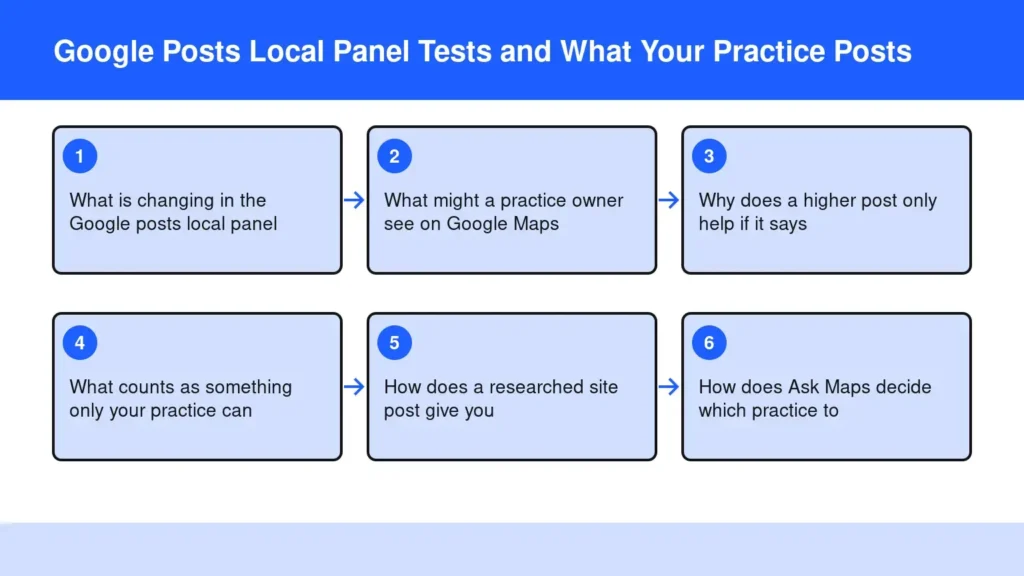
What is changing in the Google posts local panel?
Google has been seen moving the Google posts local panel section higher on the page, so an owner’s latest update can sit nearer the top of a business listing. Search Engine Roundtable reported that the Posts section seems to have moved higher up the local knowledge panel, after years lower down.
Treat this as a test, not a promise. Google tries layouts on some searches and not others, and a placement you see one morning may be gone by the afternoon. What will not change is the reason the section exists: it is the one part of the profile where the business speaks in its own words.
That is the part worth planning for. A move up the page raises the stakes on whatever you last wrote there.
What might a practice owner see on Google Maps?
You may see your most recent post appear closer to your name, hours and buttons, rather than under a long run of photos and reviews. Google’s own help page explains that posts can show text, photos or videos, and that customers find them on your Business Profile in Search and Maps.
On a phone, that means a patient scrolling for a physical therapist or a dentist meets your words sooner. If the newest post is a stock holiday greeting, that greeting is now the first thing they read from you. If it is a clear answer about evening appointments, that answer is.
Search for your own practice name on your phone and look. Note what shows first, and ask whether a stranger would learn anything from it.
Why does a higher post only help if it says something specific?
A higher spot gives a post more readers, and a generic post wastes every one of them. Patients compare several practices in a few seconds, and only a detail that is yours can tip the choice.
Google is also reading. Write-ups on Ask Maps note that it builds its reasons to recommend a business from profile fields, review text, photos and the website. A vague post gives that system nothing to repeat. A plain sentence about who you treat, when you are open and what a first visit involves gives it something it can quote.
Here is the loss to weigh. Silence, or filler, hands the question a patient types to whichever practice down the road answered it in writing first.
What counts as something only your practice can say?
It is a first-hand fact a competitor could not copy without lying. In my own work at Functionised, with FIT Clinic, FIT Lab and FIT Stretch in Colts Neck, Tinton Falls and Seabrook, the useful posts are the ones that name a location, a service and a real detail.
- An hours change. New early or late appointments, set first in your profile with Google’s special hours setting so the post and the listing agree.
- A service answered in plain words. What happens at a first visit, who it suits, and who it does not.
- A fact only your clinic knows. The equipment you chose and why, the question your front desk hears most, or the credential behind a method.
- A local detail. Which office has parking, which town a service runs in.
If you cannot name two of these for a topic, the post is not ready.
How does a researched site post give you something true to repeat?
Write the full answer once, on your own website, then repeat its one specific fact in a short Business Profile post and on social. The site post holds the detail and the sources; the short posts point back to it.
On one of my own sites, a single week’s review set aside 9 of 14 drafts because the site’s facts held too little only that business could say. That taught me the plain lesson: first-hand facts decide whether a post can be published.
You or your office manager copy the one true line into the profile, which takes a minute. Our first app, Blog & Social Posts, Done for You, does the deciding, writing and publishing on the site.
How does Ask Maps decide which practice to recommend?
Ask Maps answers conversational questions inside Google Maps, and it leans on what your profile, reviews and website already say. Connect4 Consulting describes Ask Maps as a Gemini-powered search inside the Maps app.
That makes consistency matter. If your website says one set of hours and your profile says another, an answer engine has to guess. Keep the facts aligned, and tidy any suggested edits on your Business Profile before they drift.
The same habit helps beyond Maps. Plain, sourced answers on the site are what ChatGPT local recommendations and other answer engines tend to draw on, and a real byline backs them up, as covered in the honest byline fix.
Frequently asked questions
Is a Business Profile on Google free?
Yes, a Google Business Profile costs nothing to claim and manage. Google describes it as a free Business Profile that helps you appear when customers search for your business on Search and Maps. You can respond to reviews and add photos and posts from the same place.
What's the best Google post type for a practice?
For most practices, the Update type works best, because it suits plain news like new hours or a service explained. There are three types: Updates, Offers and Events. Health practices should avoid offer-style posts that read like discounts and keep Events for real classes or open days.
Do old Google posts disappear?
Yes, older posts are archived from the profile after a while unless they carry a date range. One guide notes posts older than six months are archived unless a date range is set. That is a reason to post a fresh, specific fact on a steady rhythm rather than once.
How do I access the Google panel for my own business?
Sign in to the Google account that manages your listing, then search your practice name on Google or open Maps. Google’s edit help page explains how to change your details from there. Agencies should be added as managers rather than sharing the owner’s login.
Should my Google post just copy my blog post?
No, a profile post should carry one fact from the blog post, not the whole thing. Lead with the specific detail, such as the new appointment time or the plain answer, and link to the full page on your site. The site holds the depth; the post is the signpost a patient sees first.
The Bottom Line
Look at your own listing on a phone today. If the post that may now sit higher says nothing only your practice could say, replace it with one true, specific line, and put the full answer on your website first. That is how a higher spot turns into a patient who already knows why to call you.
If you would rather not find the hours to write those site posts yourself, a done-for-you service can decide what to publish, write it in your voice and share it. Try it.
Start free for 14 days
Sources
- Google Moves Google Posts Higher Up On Local Knowledge Panel
- Create & manage posts on your Business Profile
- Google Business Profile essentials
- How to set Special hours
- Edit your Business Profile
- Google Business Profile Posts: Updates, Offers and Events
- Google Ask Maps: How to Get Your Business Recommended
- Google Ask Maps for Local Businesses: 6 Fixes to Make