Google Business Profile Suggested Edits Without the Panic
Key takeaways
- Google business profile suggested edits now come with a deadline.
- Once Google notifies you, you have four days to accept or reject a stranger's change, or Google may publish it.
Google business profile suggested edits now come with a deadline. Once Google notifies you, you have four days to accept or reject a stranger's change, or Google may publish it. A practice that checks its listing monthly can easily miss that window, so someone needs the notifications on their phone and a short weekly sweep. Posts carrying unverified phone numbers, email addresses or social handles can also be removed, so contact details belong in buttons, not post text.
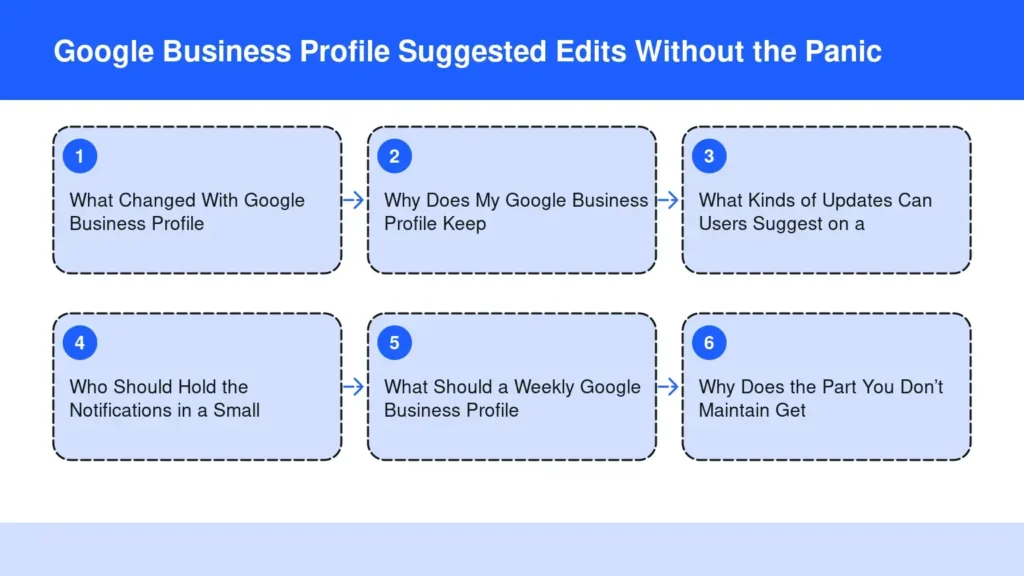
What Changed With Google Business Profile Suggested Edits?
Google business profile suggested edits now run on a clock. Google updated its help document on the point. After an email or in-product notice, you have four days to accept or reject the suggestion. Miss it, and Google may apply the edit to your local listing.
The silence rule matters most. Search Engine Watch reports that Google may publish an unanswered suggestion when other public information, including your own website, supports the change. The same help section also says Google may apply some user edits without prior review at all. Digital Applied dates the new section to a Search Engine Roundtable report on September 23, 2026.
Post rules got stricter that month too, as Search Engine Roundtable reported. Google’s content policy for updates now says it may remove any post with unverified contact information, including phone numbers, email addresses and social media handles. Meanwhile, post view counts are rolling out globally in the dashboard again. You can finally see whether anyone reads what you publish there.
Why Does My Google Business Profile Keep Changing?
Your Google Business Profile keeps changing because you are only one of its authors. Search Engine Journal lists four sources Google draws on. They are public information such as your website, licensed data, user contributions like suggested edits, and interaction signals.
Anyone can use the Suggest edit link in Search, Maps or the Maps app, even without owning the business. Most users mean well. A patient may find the hours incorrect and fix them right there. But the same article notes a competitor can suggest edits too, sometimes to make trouble with unwanted changes. Marketers tidy listings that aren’t theirs, too.
So the profile you set up is not the profile patients see. It is a running negotiation between what you told Google, what the web says about you, and what strangers report. Whoever stays consistent and current tends to win it.
What Kinds of Updates Can Users Suggest on a Practice Listing?
Users can suggest changes to almost every field that brings a patient to your door. That includes hours, phone number, website, address, and whether the business is closed. They can also flag the whole listing for removal, as Search Engine Journal explains.
For a private practice, the dangerous edits are the small ones. A suite number moves by one digit. A Friday closing time shifts earlier. A holiday closure stays up after the holiday. None of these looks like vandalism, so nobody at the front desk notices until a patient calls from the wrong floor.
The cost is real, because accurate business information is what a patient relies on. BrightLocal reports that 62% of consumers would avoid using a business if they found incorrect information online. A wrong detail on Maps doesn’t just confuse a patient. It quietly sends them to the next listing.
Who Should Hold the Notifications in a Small Practice?
The person who can act inside four days should hold the notifications, and in most practices that means two people, not one. Pair the office manager with the owner so a sick day or a vacation never stops the clock from being watched.
Google lets you add both. Google’s help page on owners and managers shows the path: Business Profile settings, then People and access. Invite each person and choose Owner or Manager. Managers can still create updates, respond to reviews and download insights, so nobody needs to share a password.
Agencies need a rule here too. If the notices land in an agency inbox, write down who answers them and how fast. Search Engine Watch warns that a weekly profile check alone could leave a business too late to respond. The weekly routine below is the backstop; the live alert is the guard.
What Should a Weekly Google Business Profile Check Include?
A weekly check should confirm the details patients act on, clear any pending suggestions, and keep every update inside the rules. Do it on the same morning each week, in this order:
- Clear the suggestions first. Open any notice about suggested edits and accept or reject it the same day. Reject anything you can’t confirm.
- Read the listing like a patient. Check the name, address with suite, phone number, hours and holiday hours on both Search and Maps.
- Review what Google collected. Google’s edit page has a Collected info view that shows where each detail came from and when. Delete anything wrong.
- Match the website. Make sure your own site shows the same hours, address and phone. Google can treat it as supporting evidence.
- Keep contact details out of post text. Use the Call now button instead, which uses your verified phone number. Google’s help page on updates warns that a post with a phone number it can’t connect to the business might get rejected.
- Look at post views. Note which updates patients actually opened, and write more like them.
Search Engine Roundtable’s report on the change advises using buttons to send people to your website or social pages. Don’t type handles into the post. That habit keeps a good post from vanishing without warning. It also fits with what Google reads in review replies.
Why Does the Part You Don’t Maintain Get Written by Someone Else?
Anything you leave unattended online gets filled in by whoever is paying attention. The four-day rule just makes that visible on the listing. Your website follows the same law, only more slowly.
Notice the link between the two. Google may publish a stranger’s edit when your website supports it. So a site with old hours confirms the wrong change instead of blocking it. An unpublished site also leaves patient questions to whoever answers them in writing first. Read why practices lose patients to content they never published for the full case. The same logic now reaches the answers Maps writes about you.
Before software, I was a strength and conditioning coach for the Toronto Blue Jays, the Tampa Bay Buccaneers and the University of South Florida. I also co-founded Functionised, with FIT Clinic, FIT Lab and FIT Stretch in Colts Neck, Tinton Falls and Seabrook. So the first app I built is Blog & Social Posts, Done for You. It has run on my four sites since September 2026.
Frequently asked questions
Are you wasting money in Google Ads if your Business Profile is wrong?
You can be, because an ad only buys the click, and an incorrect listing can waste it. A patient who clicks your ad and then sees the wrong hours on Maps arrives at a locked door. Fix the profile before raising any ad budget, and recheck it whenever your hours change.
You can be, because an ad only buys the click, and an incorrect listing can waste it. A patient who clicks your ad and then sees the wrong hours on Maps arrives at a locked door. Fix the profile before raising any ad budget, and recheck it whenever your hours change.
Do I need a paid tool to monitor Google Business Profile changes?
Not necessarily, since Google already sends an email or in-product notice for edits that need your review, per Search Engine Roundtable. Third-party monitors can add alerts for changes Google applies without asking. Either way, a monitor only helps if a named person acts on each alert. Assign that job before you buy anything.
Not necessarily, since Google already sends an email or in-product notice for edits that need your review, per Search Engine Roundtable. Third-party monitors can add alerts for changes Google applies without asking. Either way, a monitor only helps if a named person acts on each alert. Assign that job before you buy anything.
How long does it take to fix a wrong edit that already went live?
Edit the profile yourself as soon as you spot the error. Google says edits to a verified profile usually take up to 10 minutes to review, but sometimes up to 30 days. While you wait, update your website and other listings so every public source supports the correct detail.
Edit the profile yourself as soon as you spot the error. Google says edits to a verified profile usually take up to 10 minutes to review, but sometimes up to 30 days. While you wait, update your website and other listings so every public source supports the correct detail.
Can I delete information Google collected about my practice?
Yes, for many details. Open Edit profile, then Collected info. There Google shows the source of each detail and the date it was collected. Select Delete on anything incorrect. Then correct the outside source too, or the same data may come back. Look for stale directory entries made long ago, since they can feed many of the same mistakes back.
Yes, for many details. Open Edit profile, then Collected info. There Google shows the source of each detail and the date it was collected. Select Delete on anything incorrect. Then correct the outside source too, or the same data may come back. Look for stale directory entries made long ago, since they can feed many of the same mistakes back.
Do Google Business Profile post views include Maps as well as Search?
Yes. Search Engine Journal reports that the new view counts combine Search and Maps into one number. They cover posts from the past 18 months on a rolling basis. The data is not yet available in the API, so agencies reporting across many clients will need to read it from the dashboard.
Yes. Search Engine Journal reports that the new view counts combine Search and Maps into one number. They cover posts from the past 18 months on a rolling basis. The data is not yet available in the API, so agencies reporting across many clients will need to read it from the dashboard.
The Bottom Line
Treat your GBP like a shared document with strangers holding edit rights. Google gives you the tools to manage it, and the profile itself is free, but someone still has to check it regularly. Put the notifications on two phones and run the weekly checklist. Keep contact details in buttons, and make sure your website tells Google the same story.
The website half is where most practices fall behind, because it needs steady, accurate writing in the owner’s voice. If you want help keeping it current, try Blog & Social Posts, Done for You. The plans are on the pricing page, and this piece on publishing consistency explains the habit.
Start free for 14 days
Sources
- Google Business Profiles Gives You Four Days To Reject User Edits – Search Engine Roundtable
- Google may publish suggested business edits if you miss its deadline – Search Engine Watch
- Google Business Profile: You Have 4 Days to Reject an Edit – Digital Applied
- Understand what happens to your Business Profile edits – Google Business Profile Help
- Business Profile photos, videos & posts content policy – Google Business Profile Help
- Create & manage posts on your Business Profile – Google Business Profile Help
- Google Posts Cracks Down On Unverified Contact Information – Search Engine Roundtable
- Google Adds Post View Counts To Business Profiles – Search Engine Journal
- 4 Top Reasons Your Google Business Profile Information Keeps Updating – Search Engine Journal
- Edit your Business Profile – Google Business Profile Help
- Manage your Business Profile owners & managers – Google Business Profile Help
- 35+ Local SEO Statistics You Need for 2026 – BrightLocal