Search Console Multimodal Filter Guide for Practice Owners
Key takeaways
- The Search Console multimodal filter shows the visits that began with a photo, screenshot or camera instead of typed words, across Google Lens, Circle to Search, image uploads and Chrome image search.
- You find it under the Web search type in the Performance and generative AI reports, and it only appears once your site gets that traffic.
The Search Console multimodal filter shows the visits that began with a photo, screenshot or camera instead of typed words, across Google Lens, Circle to Search, image uploads and Chrome image search. You find it under the Web search type in the Performance and generative AI reports, and it only appears once your site gets that traffic. The pages that win are the ones showing the same object a patient photographed, with the answer written beside it.
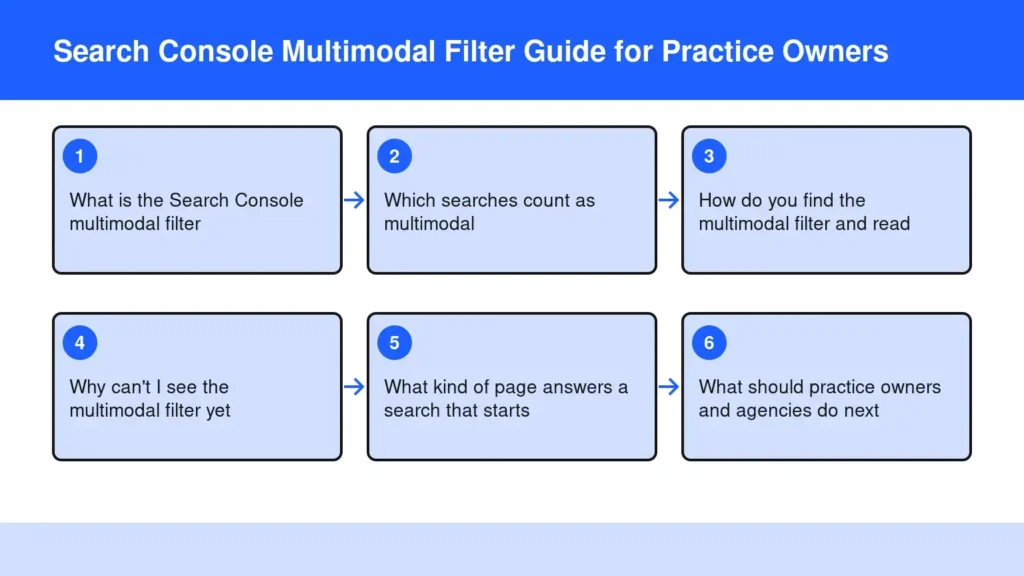
What is the Search Console multimodal filter?
The search console multimodal filter is a search type that separates visits from people who searched with an image instead of typed words. Google’s announcement says it works in both the Search results performance report and the generative AI features report.
That second view matters if you already track AI answers; my post on Search Console AI impressions covers that report. The new filter makes a separate line between camera and keyboard. Google’s performance report help now splits Web into text-based and multimodal data.
For a practice, this is the first honest look at a question a patient never typed.
Which searches count as multimodal?
Four entry points count: Google Lens, Circle to Search, image uploads to Google Search, and Chrome’s right-click Search this image. Google’s help page describes this traffic as people searching with images, such as with a smartphone camera.
Picture three patients. One photographs the knee brace her surgeon sent home with her. One snaps the supplement bottle on your front desk shelf. One points a phone at the sign outside your building.
Circle to Search lets a user circle anything on screen, and Google Android help says it runs on select phone models. So a screenshot of a friend’s post about your practice can start a search too.
How do you find the multimodal filter and read it?
Open the Performance report, click the Search type filter, choose Web, then pick Multimodal instead of Text-based. Each step takes a minute. The generative AI report carries the same filter.
- Pages: start here. These are the pages Google showed to someone holding a camera.
- Dates: watch the change across months, not days. One busy week tells you little.
- Export: Google’s post says you can click Export and analyze the data in your other tools.
Read the query view with care. A photo is not a sentence, so the words behind each visit may be thin. The page list tells you more about what the camera found.
Why can't I see the multimodal filter yet?
You may not see it because the data appears only when your site gets this kind of traffic. Google’s announcement says you will see the metrics if your site is receiving traffic from these queries.
Google also describes the release as rolling out globally, so a missing option is not a broken account. A small practice site with few images may simply have nothing to count yet. Check back after your next image update to see where you stand.
Absence is still data. If another practice’s page answers the brace photo and yours shows no brace, the filter has nothing to report. Silence here is a page you have not published.
What kind of page answers a search that starts with a photo?
The likely answer is a page that shows the same object, names it plainly and explains it in a patient’s words. Google’s image SEO best practices apply the same general advice across its visual search features.
- Use real HTML images. Google’s guide says it finds images in the src attribute of an img element and doesn’t index CSS images.
- Photograph what patients photograph. The brace, the shelf product and your sign each deserve a clear, original picture on a relevant page.
- Put the answer beside the image. How to wear the brace, why you stock that product, which entrance to use.
- Consider an image sitemap. The same guide says it can surface images Google might not otherwise find.
The questions your team hears all day make the best shot list; see front desk questions your pages should answer first.
What should practice owners and agencies do next?
Check the filter once a month, note which pages appear, and add one photographed, plainly answered page for each gap. The routine needs no new tool.
I came to this from coaching, not marketing. I was a strength and conditioning coach for the Toronto Blue Jays, the Tampa Bay Buccaneers and the University of South Florida. That work runs on equipment, and equipment is exactly what people now search with a camera.
Our first app, Blog & Social Posts Done for You, runs on my own four sites, so I read this report as an owner. My advice to agencies, whether they call the work SEO or GEO, stays the same: original images on pages built from real experience. My piece on first-hand experience content explains why.
Frequently asked questions
Does Google index images added through CSS?
No. Google’s image SEO guide says it doesn’t index CSS images and finds images through the src attribute of standard HTML image elements. If your theme sets the brace photo or office sign as a background image, a camera search has nothing on that page to match.
No. Google’s image SEO guide says it doesn’t index CSS images and finds images through the src attribute of standard HTML image elements. If your theme sets the brace photo or office sign as a background image, a camera search has nothing on that page to match.
Does Circle to Search work on every phone?
No. Google Android help says Circle to Search is available on select Android phone models, including recent Pixel phones. Treat your multimodal numbers as a sample of patient behavior rather than the whole of it, and keep publishing for the typed questions too.
No. Google Android help says Circle to Search is available on select Android phone models, including recent Pixel phones. Treat your multimodal numbers as a sample of patient behavior rather than the whole of it, and keep publishing for the typed questions too.
Can a patient add typed words to a photo search?
Yes. Google Android help explains that after circling an image, a person can type an extra question and get AI Overviews based on both. A patient might circle a brace and ask how long to wear it, which rewards pages that answer that follow-up in plain words.
Yes. Google Android help explains that after circling an image, a person can type an extra question and get AI Overviews based on both. A patient might circle a brace and ask how long to wear it, which rewards pages that answer that follow-up in plain words.
Is an image sitemap worth it for a small practice site?
Often, yes, if your images load in ways crawlers miss. Google’s image SEO guide says an image sitemap can list image URLs it might not otherwise discover, even ones hosted on other domains. For a site whose photos already sit in plain HTML on crawlable pages, it is a small extra, not a fix.
Often, yes, if your images load in ways crawlers miss. Google’s image SEO guide says an image sitemap can list image URLs it might not otherwise discover, even ones hosted on other domains. For a site whose photos already sit in plain HTML on crawlable pages, it is a small extra, not a fix.
The Bottom Line
The multimodal filter shows you the patients who asked with a camera. Whether it is empty or full, the fix is the same: publish clear pages with your own photos of the things patients point their phones at.
If you can’t find the hours, let the publishing happen for you. See what to publish next with the free report, or read why your practice website content should stop waiting on you. Try it.
Start free for 14 days
Sources
- Announcing web multimodal Search performance reporting in Search Console
- Generative AI performance report (Search) – Search Console Help
- Performance report (Search results): Overview and basic setup – Search Console Help
- Google image SEO best practices
- Search your screen with Circle to Search – Android Help
- Multimodal Search Type Filter In Google Search Console Performance Report
- Google Search Console Adds Multimodal Filter For Image-Based Searches
- Search Console Multimodal Filter: What It Measures (Lens, Circle to Search)
- Search Console Now Separates Visual Search Traffic